Are you a company leader looking to accelerate your customer support operations? Do your customers often get frustrated due to long wait times? Well, in that case, many companies are now choosing customer service automation tools.
It helps your support team to work smart and fast. It is a good way to handle tickets, resolve customer queries, and eradicate errors.
But we all know automation is not perfect and can get confusing. It can lack personalization, and might be good for simple tasks, but not for tasks that need human intervention. But there is always a way to make it work. So how do you find the right balance between automation and human effort?
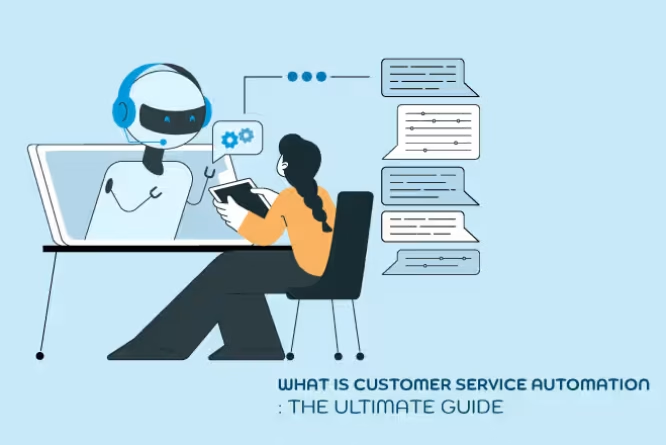
Basically, customer service automation, or automated customer service, is the integration of technology with daily customer support tasks. Tasks that include a very minimal human involvement.
It helps growing companies with 24/7 support. It can use technology to handle simple customer queries, helping human agents focus on more critical customer support.
Technology has advanced, with features such as chatbots, artificial intelligence (AI) in customer support, machine learning, and self-service kiosks. These help manage incoming queries about pricing or in-app support and improve the overall customer journey and trust.
In addition, as a leader, you must look at automated customer service as a support or supplement to human customer support reps. The bots must help them to make their work faster and easier.
Human interference is important since AI cannot empathize. Thus, use these tools to handle mundane and repetitive tasks so that live agents can focus on strengthening their relationships with customers and meeting their expectations.
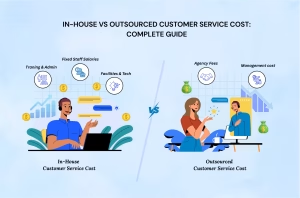
Plus, handling customer support in-house is expensive, especially with automation. In such cases, many leaders opt for AI-enabled, reputable business process outsourcing (BPO) partners to handle the job. It is usually cheaper to outsource.
Thus, this guide will explain everything about customer service automation, its benefits, best practices, and how a BPO can add an extra advantage.
But first, let’s learn the basics.
| Key Takeaways |
|
What is Customer Service Automation?
The process of implementing new-age technologies such as chatbots, AI, and self-service portals is known as customer service automation. It helps leverage support tasks with minimal human involvement for resolving issues.
Conventional customer support focuses solely on human agents, but customer expectations are shifting. A study says 85% of consumers want short wait times and want them to be part of the support experience. Automation provides fast support that makes scalability easy, and outsourced customer support makes it cost-effective, too.
Automated customer service handles everyday tasks, allowing human agents to focus on resolving complex issues and building customer trust and loyalty.
How does Automated Customer Service Work?
Leaders planning to implement customer service automation can opt for customer support outsourcing, as it helps reduce costs and lets the internal team focus on core functions.
Choosing a reputable AI-enabled business process outsourcing company encourages customers to use self-service.
First and foremost, you must select or ask the outsourcing partner to implement high-quality customer service (CS) software. Automation-enabled CS software can very well handle the piling number of tickets or inquiries you receive round-the-clock.
It helps monitor customer feedback and customer satisfaction with automated tech support. It ultimately builds customer confidence. Automation helps create tickets, answer FAQs, handle one-on-one interactions, and guide customers through difficulties.
Plus, it handles customer inquiries promptly and provides knowledge-based suggestions. Customer service automation tools provide unmatched insights. It lets your customer service team analyze areas for improvement and identify ways to increase customer satisfaction. Thus, you and your team can deliver a good customer experience to all.
Pro Tip: You can put AI to work for customer service. Explore how generative AI in customer support can seamlessly elevate the customer experience and enhance workplace productivity across self-service, human agents, and contact center operations.
What are the 5 Key Aspects of Customer Service Automation?
There are multiple ways your customer service teams can integrate automated customer service into their day-to-day operations. These can range from simple to complex issues. It depends on the line of business and the size of your team and customer base. But the ultimate motive is to learn the ways to keep your customers happy.
Thus, here are some examples of customer service automation to help you make informed decisions if you’re planning to implement automation.
1. AI Chatbots or AI Customer Service
AI chatbots, AI customer service, and virtual assistants can help handle multiple tasks, such as booking meetings, qualifying leads, guiding customers to the desired resources, and more.
It is more of troubleshooting since it can help resolve simple customer queries. Wondering how this works? Well, this works through natural language processing (NLP). One can use it to train it to understand customer issues and feed it the correct resolution so it can provide accurate responses to customers. Basically, it needs training to answer accurately depending on the customer issues.
2. Ticket Automation
With the implementation of a customer service automation, you can organize tickets by criteria. Then you can route tickets to agents who can handle them well, based on experience. This enables time saving and reduced errors.
Automating the ticketing system allows the team to speed up issue resolution, positively impacting customer experience and retention.
3. Interactive Voice Response (IVR) Software
Usually, when you call a customer care service, you get dialed to an automated voice guiding you through the system, which is an interactive voice response (IVR). It greets callers and guides them to the preferred department.
If you’re in the finance or banking BPO services, some IVR systems can also accept customer payments. It helps answer FAQs with a prerecorded message. It helps reduce burnout amongst support staff and concentrates on dealing with more complex issues.
4. Automatic Translation
If you’re a global business and have a worldwide customer base, you are bound to get calls from everywhere. Thus, customers calling from around the globe can have a good customer experience with automatic translation.
Plus, offshore outsourcing services provide expert customer support services in multiple languages. And automation can help translate any language and convert conversations as per needs. This enables real-time support for customers.
5. Automated Notifications
Customer service agents keep juggling multiple calls and tasks at once. In such a scenario, they might forget scheduled tasks, such as calling a customer back or rescheduling an appointment. Thus, automation helps them revisit these tasks with automated notifications and alerts.
6. Customer Feedback Surveys
Maintaining good retention and loyalty is one of the golden rules of customer service. And to maintain that, you need a robust customer feedback survey. Thus, with customer service automation, teams can set up processes to capture customer feedback, such as CSAT scores and NPS.
These metrics help analyze the overall customer experience and determine CX success. Also, you can automate the timing of when to pitch the survey during the assistance.
7. Automatic Updates
Customers nowadays need to know every update. From shipping details to payment, they need to know everything.
For a better customer experience, you can outsource customer support to handle such issues. And with automation, you get to set alerts and notifications to keep the customer informed. And they can also track their concerns, tickets, and shipping.
Benefits of Automated Customer Service
Even though many leaders question the authenticity and reliability of automation and AI, it can still be beneficial. Automation, compared with human intervention, can work very well for most teams. Thus, here are the benefits of customer service automation.
1. It Saves Time and Service Costs
Modern customers want fast, efficient service. Many customers want self-service portals for quicker resolutions. Thus, implementing customer service automation enables automatic ticket tagging and routing, with tickets directly routed to agents. This helps in reducing time and response times. The reps will only speak to the customer when the issue is unresolved by automation or when they need further assistance.
In addition, delivering good customer service is expensive and is a cost to the company. In such cases, you can reap the benefits of outsourcing customer support, since it is affordable. And they also provide automated services that add to your checklist of good customer satisfaction.
According to McKinsey research, companies can cut operational costs by up to 40% by introducing automated customer service and other tech.
Find out how much you can save annually with outsourcing customer service solutions using this free Outsourcing Cost Calculator.
2. 24/7 Customer Support
Customers want everything very quickly; your office ends at 6, but customer queries can come in 24/7. But with outsourced automated customer support, you can ensure round-the-clock support for your customers.
Offshore agents and AI bots work to address common questions and engage with customers to deliver the best possible resolution. AI chatbots can help resolve simple tickets throughout the night. But it is also important to select the right type of BPO and make an informed decision, since every BPO has a specific set of services.
3. Get Access to Better Insight
Managing customer support is a primary benefit of automated customer service, but it also enables automated reporting and auditing. You can enable automation service software to pair with customer data across multiple communication channels. And you get all the insights about customer interactions via personalized reports.
Thus, with the help of these reports, you can build a robust customer service for a smooth customer journey. You can also integrate these technologies or software with existing CRMs, order management systems, and logistics trackers.
With an outsourcing partner, you can get all of these at an affordable price, with trained experts and a modern CRM.
4. Reduce Human Errors and Mistakes
Your team must filter out repetitive and redundant tasks. With automated tools, you can reduce the risk of human errors. Automated ticketing ensures the system reroutes customers efficiently, especially during peak season and heavy call volumes.
Automation will not completely replace humans because humans still need to verify factual information. Whether what’s being offered is correct or not. Live agents will still play a crucial role in solving complex customer issues. Automation only helps them make the process smooth, fast, and error-free.
What are the Disadvantages of Customer Service Automation?
Even though something works in your favor, it has its cons. Like how there are pros and cons of outsourcing, and one must assess them before making a decision, depending on the industry. Similarly, there are some disadvantages of automated customer service.
The primary disadvantage would be a loss of personal touch, which can irritate customers. Personalization is the key to good customer service. And with automation, that sense can be a miss since automation does not understand human emotions.
Also, automation is not here to replace humans; customers want to talk to a real human. There should always be an option to connect with a human for a personalized touch. When a customer gets the same message repeatedly, and the problem isn’t resolved, it leads to dissatisfaction. And such situations will affect customer trust.
Thus, customer service automation must be leveraged for your benefit, not to replace human agents. When done right, integration of automation and human support can positively impact your company’s bottom line and enhance customer loyalty
5 Key Steps to Automate Customer Service
If you’re planning to implement customer service automation, you need a clear plan and well-defined goals. Many leaders rush into tools and face problems later. Thus, you must approach it better by understanding how customer support works today.
Your team handles different types of customer queries. Some are simple and take seconds to resolve. But some take longer and need human involvement. Automation works best when you separate these tasks and assign the right system to each one.
Many companies also integrate automation with outsourced BPO solutions. This partnership helps manage high ticket volumes while keeping service quality steady.
Here are the steps below that explain a practical approach that many support leaders follow.
1. Identify Business Needs
Start with a full analysis of your current support process. Analyze how customers contact your team for support. Check how long agents take to respond. Track the most common support issues.
This step shows where delays occur and where automation improves speed.
Focus on areas where customers wait for simple responses. Greeting messages, order status checks, password resets, and basic account updates consume significant time for agents.
Choose tools that adapt to your workflow. Customer expectations change fast. Your support system must keep pace with those changes.
2. Decide which Customer Service Tasks to Automate
Automation works best with repetitive and mundane tasks. Look at the requests and tasks your team handles regularly. These tasks follow the same steps each time. Automation will handle them accurately and quickly.
For example:
- Greeting customers when a chat begins
- Collecting customer details
- Verifying account information
- Routing tickets to the correct department
- Sending order status updates
A growing ecommerce company is a good example. For instance, ticket volume grows each month, and agents spend hours sorting requests.
With an automated ticket system, you can sort and route each request. The system sends billing issues to finance support. The product team handles technical issues. As a result, Customers receive faster responses and agents spend their time solving real problems.
3. Choose Customer Support Outsourcing
Automation improves efficiency, and human support still plays a large role.
Many companies work with offshore teams during automation projects. Outsourced teams help manage high-ticket volumes and complex customer problems.
This approach reduces pressure on internal teams and increases productivity. Support coverage expands across different time zones. Customers receive help during nights and weekends.
Experienced customer support outsourcing partners follow structured support processes with advanced service tools and software. Agents handle chat, email, and voice support through trained workflows, available 24/7.
Customer service automation handles routine requests, and outsourced agents handle detailed issues that need empathy and human judgment.
This balance keeps service quality stable as your business grows.
4. Test the System before Launch
Testing is imperative because it helps protect the overall customer experience.
Run the automation system in a controlled environment. Let support agents review responses and routing decisions, and analyze customer service interactions. You must fix errors before customers interact with the system.
Check for critical areas such as:
- Chatbot response accuracy
- Ticket routing logic
- Account verification steps
- Response time
Support leaders often feel pressure to launch tools quickly, but poor testing leads to customer frustration. And slow or incorrect responses damage customer trust.
However, a careful testing phase prevents those problems.
5. Monitor Results and Improve the System
Automation needs constant review, and customer behavior changes over time. Support questions change as products evolve. Hence, your automation system must adapt to the new technology.
To ensure that you track performance metrics after launch, here are some of the common examples:=
- Customer Satisfaction Score, CSAT
- Net Promoter Score, NPS
- First response time
- Ticket resolution time
CSAT measures how customers feel after a support interaction, and NPS measures loyalty and likelihood of referral.
Regular reviews help you update automated responses. Teams also update chatbot flows and knowledge base articles.
Support teams often feel relief once automation runs smoothly. Thus, Agents focus on complex issues, resulting in faster responses for customers.
This balance creates a support system that grows with your business and enhances customer happiness.
In the End
Today's reading concludes that, even though customer service automation is the need of the hour, the shift in customer behavior means it still needs human intervention.
Automation helps with fast ticket resolution, reduces human error, and improves reporting and auditing. But all of these must be verified by a human agent. And if there is any chance of customer frustration, a live agent must always assist the customer for a personalized approach.
Because a real conversation is always more empathetic and adds to the overall customer experience and satisfaction.
However, if in-house automation becomes expensive and cumbersome, you can always choose a reputable customer support outsourcing service, such as BolsterBiz. With trained agents, you get access to CRM, automation, and 24/7 omnichannel customer support across channels.
Schedule a free consultation today, and we will get in touch with you as soon as possible.
Customer Service Automation FAQs
1. What is automated customer service, and why is it important for companies?
Customer service automation refers to the integration of technology such as AI chatbots, automated ticketing systems, and self-service portals to manage customer support tasks. Businesses use it to reduce response time, handle high ticket volumes, and improve service efficiency.
2. How does automated customer service improve customer experience?
Automated customer service improves response speed and ensures customers receive quick answers to common issues. Systems such as automated ticket routing, chatbots, and knowledge bases guide customers to the right solution without long wait times.
3. What tasks should companies choose to automate in customer support?
Companies often automate repetitive tasks. These include ticket categorization, order status updates, account verification, chatbot responses to FAQs, and appointment reminders. Automation reduces agent workload and improves service speed.
4. Can automation and AI replace human customer agents?
Automation supports agents but does not replace them. AI systems handle routine tasks, while human agents handle complex problems, emotional conversations, and decision-making that require empathy and judgment.
5. How does customer support outsourcing support automation strategies?
Customer support outsourcing gives businesses access to trained agents, modern CRM systems, and automation tools. Outsourced teams manage high ticket volumes, provide multilingual support, and maintain service quality while automated systems handle routine requests.